
USB Flash Security Free 5.1.1.30 | Size: 7.93 MB
Language: English
USB Flash Security 2.1.1 | 1.08 MB
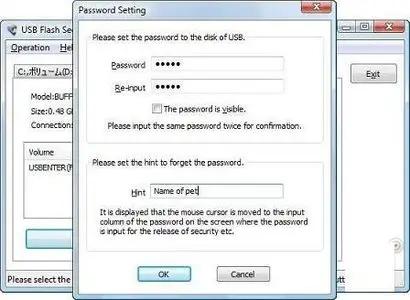
The USB Flash Security application was designed to be a security software that will protect the data of USB flash drive by a password.
NOTE:
Install “USB Flash Security” to USB flash memory
The security release tool will be installed in USB flash memory. So a PC that
"USB Flash Security" is not installed in it can also release the security.
USB flash memory is locked by a password.
A password is necessary to access the “protected area”, when “USB Flash Security” is installed to USB flash memory.
Self-locking
Unplug the USB flash memory from PC, it can be locked by a password automatically.
It will be the same transfer speed after installing “USB Flash Security”. Files in the USB flash memory will not be coded, so the speed of read and write will not be influenced by installing “USB Flash Security”.
The tool to release security by input a password is called “Release tool” in the following sentences.
“USB Flash Security” makes the following two areas in USB flash drive.
(1)Small area about 0.5MB to save “Release tool”
There is no room to save the other file in this small area.
The area to save “release tool” is 0.5M Byte that is 1/2000 of capacity of a 1GB USB flash memory.
It can be access without password, when the USB flash memory is inserted into PC.
Data in this area is not protected, so we call the area “Unprotected Area”
in the following sentences.
(2)Area to save data that you want to protect
This area is all of the USB flash memory except the “Unprotected Area”.Password is necessary to access this area. This area is protected by a password, so we call it “Protected Area”.
“Protected Area” will be formatted by FAT, when install “USB Flash Security”.
If you want to format USB flash memory by FAT32, please release security then format it by the Windows format. “USB Flash Security” will not be deleted by FAT32 format.
What’s New:-
· Change the function that recovery can be used in a USB hard disk.
· Change unprotected area that files can not be created or copied in it.
Download:
HOMEPAGE:
www.kashu-sd.co.jp/en/
rapidgator.net/file/baa927f6782629e546781f95a41364b9/USB_Flash_Security_Free_5.1.1.30.zip
nitroflare.com/view/8C6F3ACA4157456/USB_Flash_Security_Free_5.1.1.30.zip
