
NoCopilotKey v1.0.4.0 | Size: 43.9 KB
Language: English
A tool to change the Copilot keyboard key into right Ctrl key.
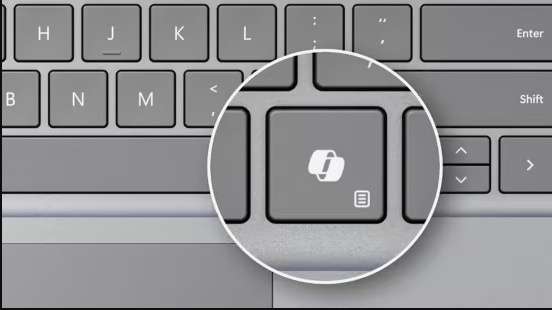
If you have a new Windows notebook/laptop with a Copilot key but don’t use Copilot, you can remap the Copilot key to the Ctrl key.
A tiny program that changes the Copilot keyboard key back into the right Ctrl key. Unlike other solutions, this one does not interfere with the Left Shift or Left Windows keys.
Installation: Run "NoCopilotKey Installer.exe" to install the program. After the program is installed, it will start running now, and also automatically run on startup or login.
To stop NoCopilotKey, use Task Manager to end the program, or uninstall the program.
Why?: Because Microsoft required manufacturers to replace the right Ctrl key with a Copilot key, with no BIOS/UEFI or Windows setting available to change it back.
System requirements: Windows 11
rapidgator.net/file/a20e357cc36e6ab3f45a0b7088b3fea4/NoCopilotKey_v1.0.4.0.rar
nitroflare.com/view/C8B4B0D20C473F3/NoCopilotKey_v1.0.4.0.rar
